
Visa Check PDF
Australia
In Australia, vSure Study and MARA agent checks, will return the same PDF as would be retreived by a manual visa check through the Department of Home Affairs Immigration website.
For our most common check type, Work Rights, vSure offers three PDF options returned by the API:
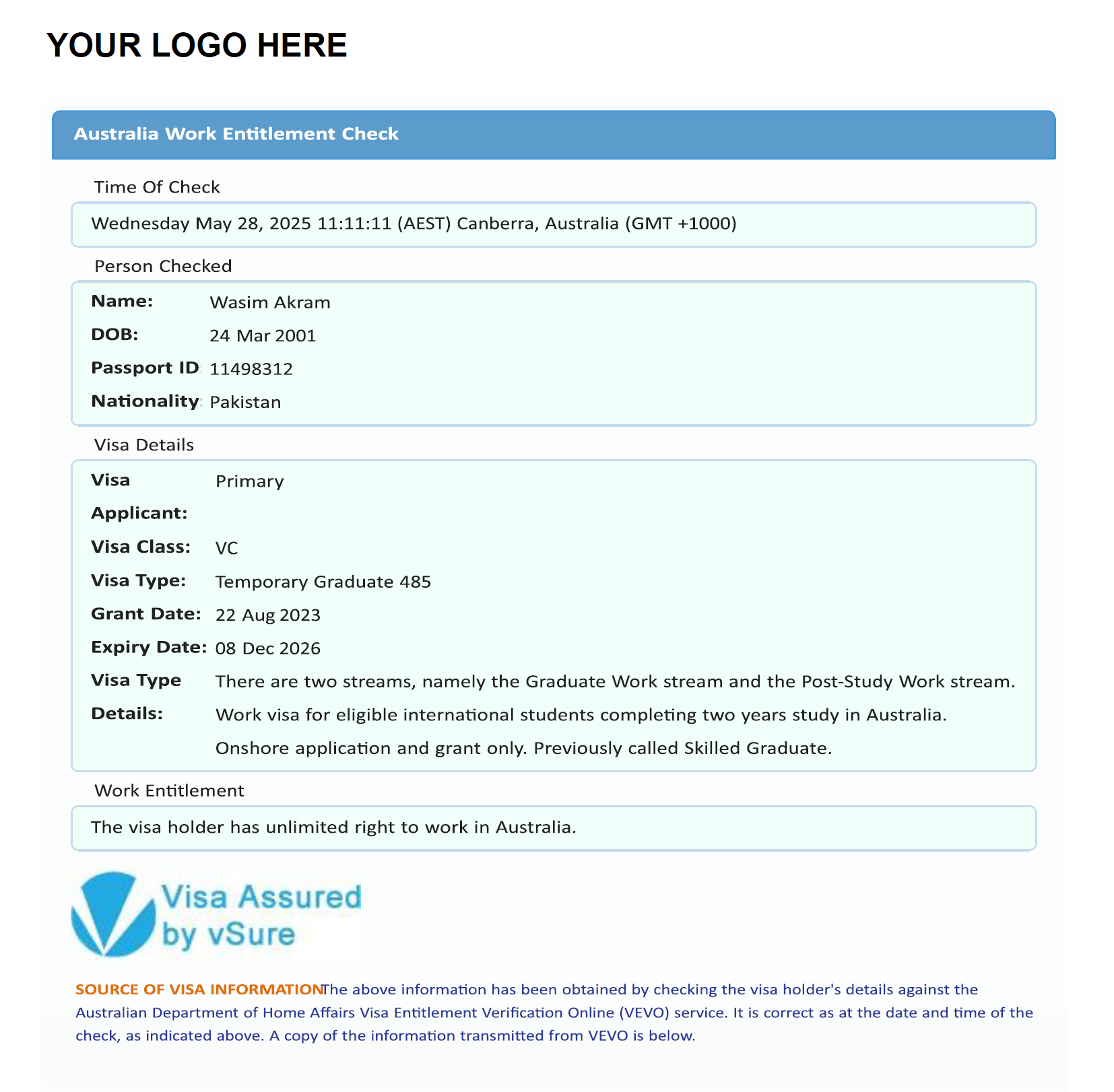
- The default PDF is the VEVO pdf, as would be retreived by a manual visa check through the Immigration website, but with a branded (vSure branded) "Plain English Definition" page 1.
- The VEVO pdf, as would be retreived by a manual visa check plus a branded (including your logo in the top left corner) "Plain English Definition" page 1.
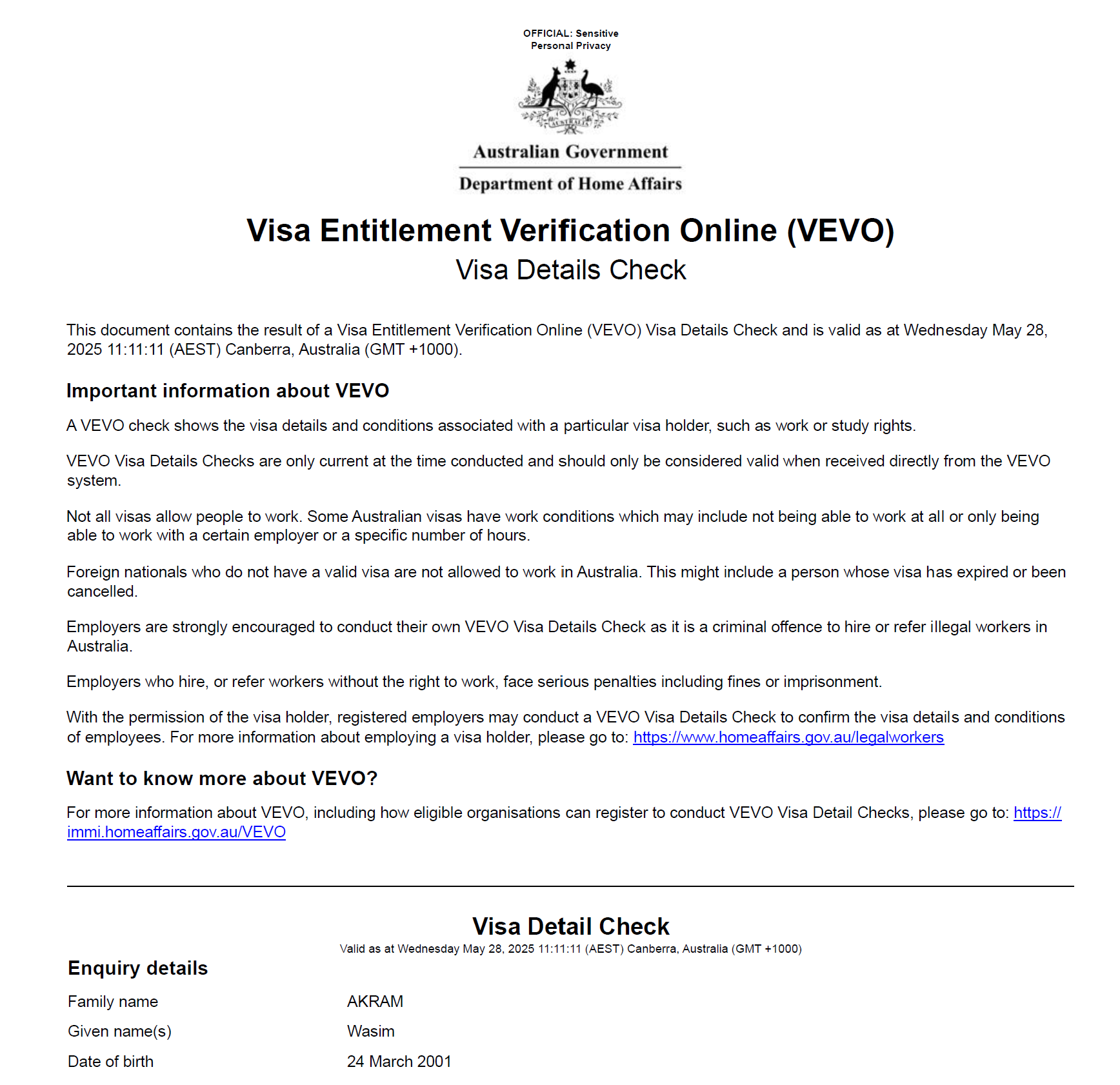
- The standard VEVO pdf, no appended page 1, exactly as would be retreived by a manual visa check;
You can request any of these 3 options as a setting for your account, managed by vSure.
Sample 1: Standard VEVO PDF (option 3 above)
Sample 2: The Plain English page 1 if appended (note logo in top left corner can be the vSure logo (option 1 above) OR your logo (option 2 above))
New Zealand
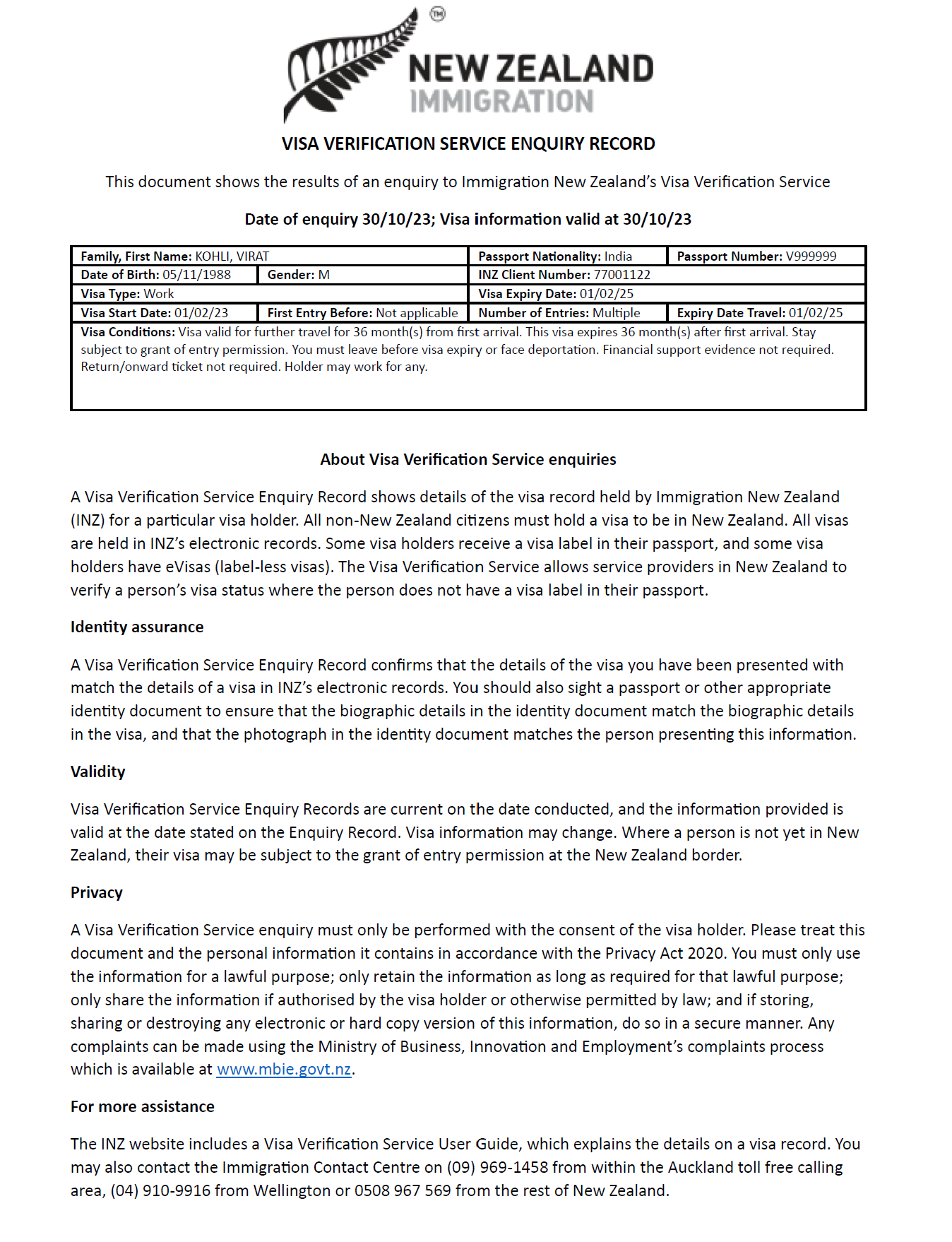
In New Zealand Verification checks (not Employer) will return the standard NZ Immigraton Visa Verification Service Enquiry Record PDF.
Downloading the Visa Check PDF
Where available, visa checks come with an attachments array that specify if there is a visa check PDF available.
The array includes:
- download_url
- name
- size
- mime
A simple GET request to the download_url with retreive the document.
Simply save the document with a PDF file extension.
Redundancy may result in no PDF
We have a redundancy connection (in Australia) for our Home Affairs connection. This ONLY applies to Australian Work and Study visa checks (NOT MARA Agent checks). The implication of this redundancy is the possibility (which is a VERY low possibility (<0.01%)) of a successful visa check result that does not provide a PDF.
This is a redundancy, whereby if our primary and secondary connections to Home Affairs are offline (i.e. you would normally get a "VEVO_UNAVAILABLE" error code from our API), our service will try an alternate connection, which if available, will return the data only, but not the PDF.
You can opt out of this redundancy if a PDF is a requirement for your system. Please log a support ticket to opt out of this redundancy.